In the ever-evolving landscape of smart home technology, seamless integration is key. Today, we’re excited to dive deep into the KNX Integration Protocol designed specifically for the OpenAudio HOLOWHAS Series Multi-room Streaming Amplifier. This protocol serves as the critical bridge between your KNX smart home system and the powerful audio capabilities of the HOLOWHAS amplifier, enabling effortless control of multi-zone audio experiences.
1. Introduction: The Power of Integration
Imagine a home where music flows intuitively from room to room, controlled effortlessly by your existing KNX touch panels, sensors, or even voice commands. The OpenAudio HOLOWHAS Series, combined with this KNX protocol, makes this a reality. This guide will walk you through every detail of the protocol, empowering you to create a truly integrated and immersive audio environment.
2. System Overview: Architecture & Capabilities
The foundation of this integration lies in a robust system architecture designed for flexibility and scalability.
- Core Functionality: The system supports 8 independent audio Zones and 8 independent audio Sources. This means you can play different music in up to 8 different rooms, each sourced from any of the 8 available inputs.
- Control Dimensions:
- Zone Control: Each Zone can independently adjust its volume, mute/unmute, and select which Source to play.
- Source Control: Each Source can also independently adjust its volume, mute/unmute, and switch between its physical input interfaces (e.g., HDMI ARC, Bluetooth, Spotify Connect).
- Communication: The integration leverages KNXnet/IP, the standard for IP-based communication in KNX systems, ensuring reliable and efficient data exchange.
3. Core Rules: Understanding the KNX Addressing
The protocol uses a clear and logical 3-level KNX group address structure: Main Group / Number / Function.
- Main Group: Distinguishes the type of control object.
- 1: Represents control of a Zone.
- 2: Represents control of a Source.
- Number: Specifies the exact Zone or Source (1 to 8).
- Function: Defines the specific operation to be performed. We define three core functions:
- 1: Volume (Value: 0-255, corresponding to 0%-100%).
- 2: Mute (Value: 0 for Unmute, 1 for Mute).
- 3: Selection (In Zone control: selects the Source number; In Source control: selects the physical input interface number).
4. Zone Control: Mastering Your Listening Spaces
Controlling each audio Zone is straightforward with the dedicated group addresses. Each Zone (1-8) has three addresses assigned for Volume, Mute, and Source Selection.
Zone Control Address Table (Zone 1-8):
| Zone | Volume Control | Mute Control | Source Selection |
| Zone 1 | 1/1/1 | 1/1/2 | 1/1/3 |
| Zone 2 | 1/2/1 | 1/2/2 | 1/2/3 |
| Zone 3 | 1/3/1 | 1/3/2 | 1/3/3 |
| Zone 4 | 1/4/1 | 1/4/2 | 1/4/3 |
| Zone 5 | 1/5/1 | 1/5/2 | 1/5/3 |
| Zone 6 | 1/6/1 | 1/6/2 | 1/6/3 |
| Zone 7 | 1/7/1 | 1/7/2 | 1/7/3 |
| Zone 8 | 1/8/1 | 1/8/2 | 1/8/3 |
Practical Examples:
- Set Volume: To set the volume of Zone 3 to 50%, send a KNX write command to address 1/3/1 with the value 128.
- Mute a Zone: To mute Zone 5, send a command to 1/5/2 with the value 1.
- Switch Source: To make Zone 8 play music from Source 3, send a command to 1/8/3 with the value 3.
5. Source Control: Managing Your Audio Inputs
Each audio Source (1-8) can be controlled independently to select its input and adjust its volume, ensuring optimal sound quality before distribution to the Zones.
Source Control Address Table (Source 1-8):
| Source | Volume Control | Mute Control | Input Selection |
| Source 1 | 2/1/1 | 2/1/2 | 2/1/3 |
| Source 2 | 2/2/1 | 2/2/2 | 2/2/3 |
| Source 3 | 2/3/1 | 2/3/2 | 2/3/3 |
| Source 4 | 2/4/1 | 2/4/2 | 2/4/3 |
| Source 5 | 2/5/1 | 2/5/2 | 2/5/3 |
| Source 6 | 2/6/1 | 2/6/2 | 2/6/3 |
| Source 7 | 2/7/1 | 2/7/2 | 2/7/3 |
| Source 8 | 2/8/1 | 2/8/2 | 2/8/3 |
Input Interface Mapping:
The Input Selection function (address ending in /3) uses specific values to switch between different physical inputs:
| Parameter Value | Physical Input Interface |
| 1 | LINE IN |
| 2 | HDMI ARC |
| 3 | SPDIF in |
| 4 | Bluetooth |
| 5 | AirPlay 2 |
| 6 | Spotify Connect |
| 7 | Google Cast |
| 8 | DLNA |
| 9 | Qobuz Connect |
Practical Examples:
- Switch Input: To switch Source 2 to use the HDMI ARC input, send a command to 2/2/3 with the value 2.
- Adjust Source Volume: To set the volume of Source 4 to 70%, send a command to 2/4/1 with the value 179.
6. The Integration Workflow: A Step-by-Step Breakdown
Understanding how the pieces fit together is crucial for a successful integration. Here’s a simplified workflow:
- User Action: The user presses a button on a KNX touch panel or triggers an automation.
- ETS Configuration: The KNX system, configured in ETS (Engineering Tool Software), sends a specific KNX command (e.g., write 1/1/1 128) to the bus.
- KNXnet/IP Communication: The command travels over the KNXnet/IP network.
- Amplifier Reception: The OpenAudio HOLOWHAS amplifier receives the KNX command.
- Command Execution: The amplifier parses the address and value, then executes the command (e.g., sets Zone 1 volume to 50%).

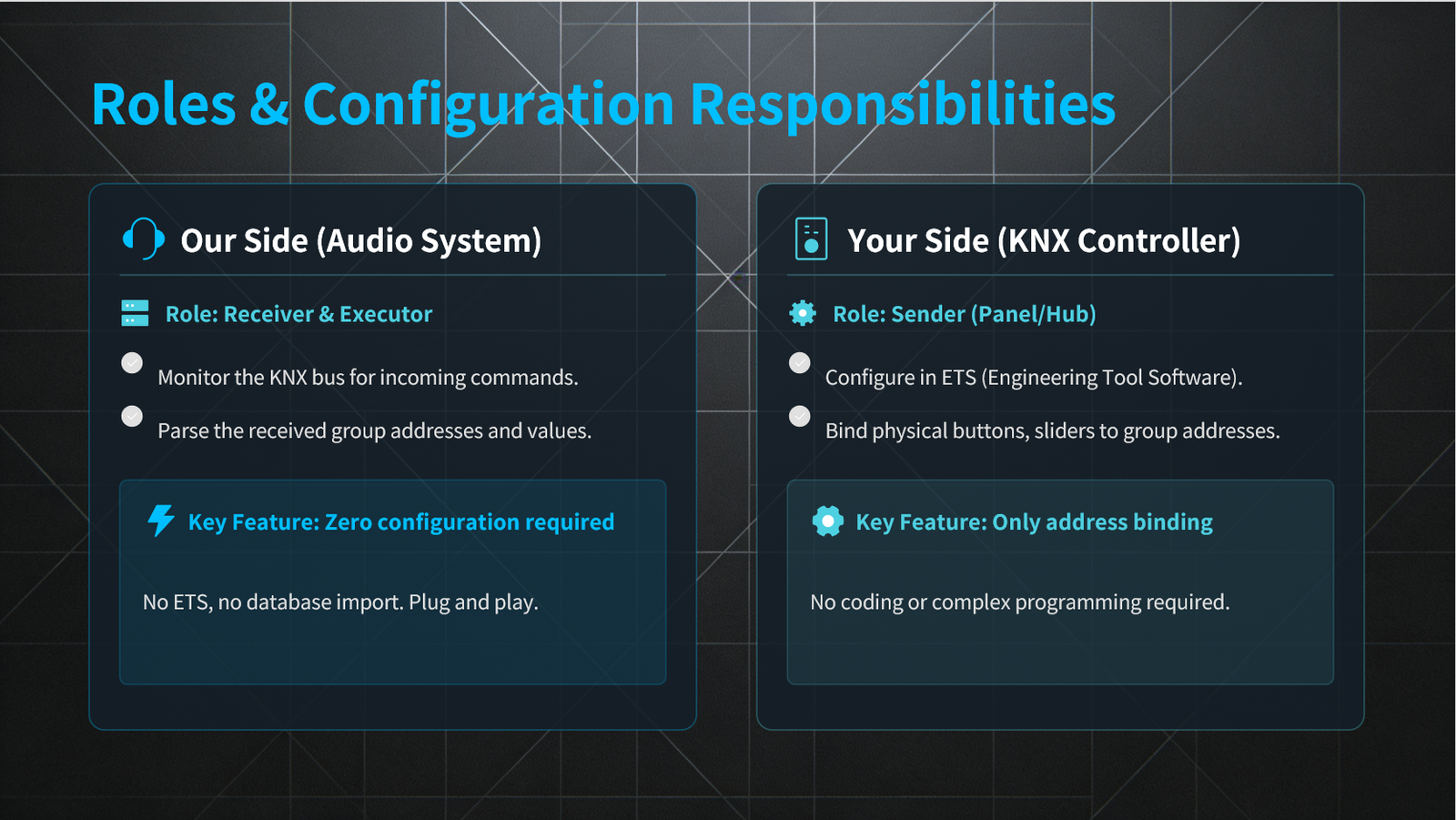
To ensure a smooth integration, it’s important to clarify the roles of both parties:
- Your Side (KNX System Integrator):
- Role: Sender of commands.
- Task: In ETS, bind your KNX panel buttons, sliders, or scenes to the group addresses defined in this protocol. No programming is required—only simple address binding.
- OpenAudio Side (Amplifier):
- Role: Receiver and executor of commands.
- Task: The amplifier listens to the KNX bus for incoming commands and acts on them. No ETS configuration is needed on the amplifier side.
The KNX Integration Protocol for the OpenAudio HOLOWHAS Series is more than just a set of rules; it’s a gateway to a sophisticated, user-friendly multi-room audio experience. By following this guide, you can seamlessly integrate the amplifier into any KNX smart home project, offering end-users unparalleled control and flexibility.
Whether you’re designing a new smart home or upgrading an existing one, this protocol ensures that high-fidelity audio is an integral part of the connected living experience.
Ready to transform your audio experience? Dive into the integration and discover the possibilities with the OpenAudio HOLOWHAS Series and KNX.