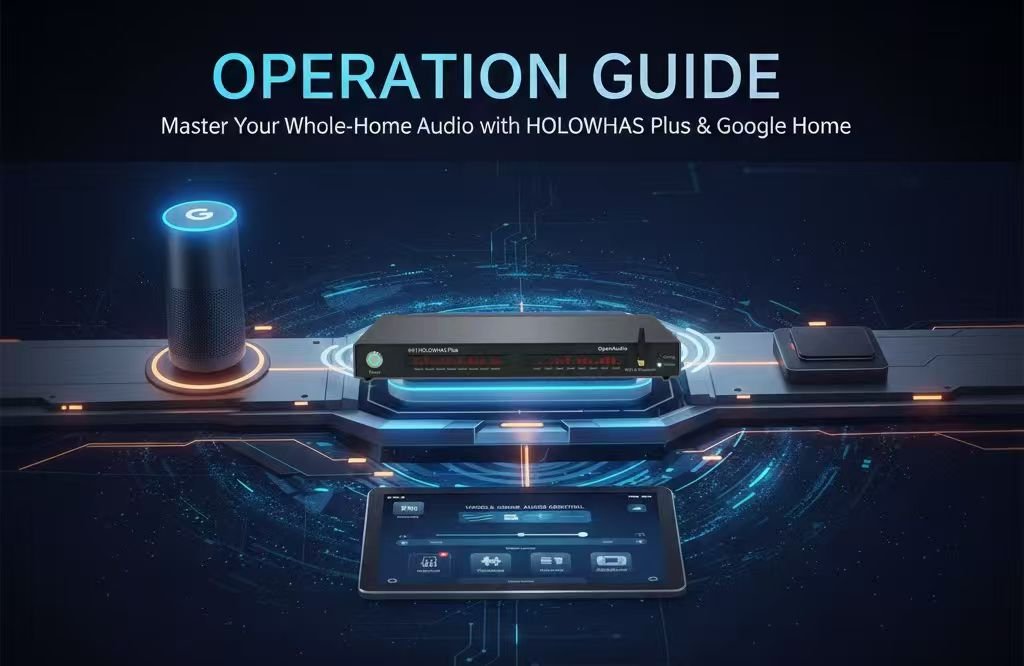
1. Acoustic Blueprint: Mapping the 8 Zones of Modern Living
The HOLOWHAS Plus is engineered to be the heartbeat of a modern, connected household. Before initiating the Google Home setup, it is essential to define the functional purpose of each audio zone to optimize the Google Assistant experience. The Plus series balances high-fidelity performance with versatile power distribution. Below is the recommended professional configuration for your 8-zone lifestyle matrix:
- Zone 01 – Social Hub (Living Room): The primary gathering space. This zone is calibrated for balanced, room-filling sound that eliminates “dead zones,” providing a consistent acoustic backdrop for social events.
- Zone 02 – Breakfast Nook (Kitchen): Specifically tuned for vocal clarity. This ensures that morning news briefings, weather updates, and cooking podcasts remain crisp and intelligible even over the ambient noise of kitchen appliances.
- Zone 03 – Private Oasis (Master Bedroom): Features a software-defined gain ceiling. This zone is designed for nighttime relaxation, ensuring that sleep-aid soundtracks or soft jazz stay within a safe, soothing decibel range.
- Zone 04 – Creative Studio (Home Office): A high-resolution, low-distortion zone. It provides a clean signal for focus-driven background music, helping to maintain a productive environment without causing listening fatigue.
- Zone 05 – Energy Engine (Home Gym): Utilizes a “Dynamic Punch” DSP preset. This zone is engineered to drive high-excursion speakers with reinforced low-end frequencies, providing the motivating drive needed for high-intensity training.
- Zone 06 – Natural Extension (Patio): Weather-compensated audio output. The gain strategy is adjusted to handle the acoustic challenges of open-air environments, maintaining a rich soundstage without the benefit of indoor wall reflections.
- Zone 07 – Guest Comfort (Guest Room): Provides independent control for visitors. This allows guests to manage their own audio environment via the Google Home App without interfering with the rest of the household’s settings.
- Zone 08 – System Utility (Corridor): A “seamless transition” zone. It ensures that audio remains continuous as you move between major living areas, preventing “audio gaps” in the home.
2. The Setup Ritual: Google Home Matter Commissioning Process
The HOLOWHAS Plus leverages Google’s streamlined Matter integration to ensure a frustration-free “Fast Pair” experience.
- Preparation: Ensure the HOLOWHAS Plus is powered on and the Status LED is solid White. If the LED is flashing orange, press and hold the Reset/Setup button on the rear panel for 5 seconds to re-enter network setup mode.
- App Initiation: Open the Google Home App on your Android or iOS device. Tap the “+” icon in the top-left corner and select “Set up device” followed by “New device.”
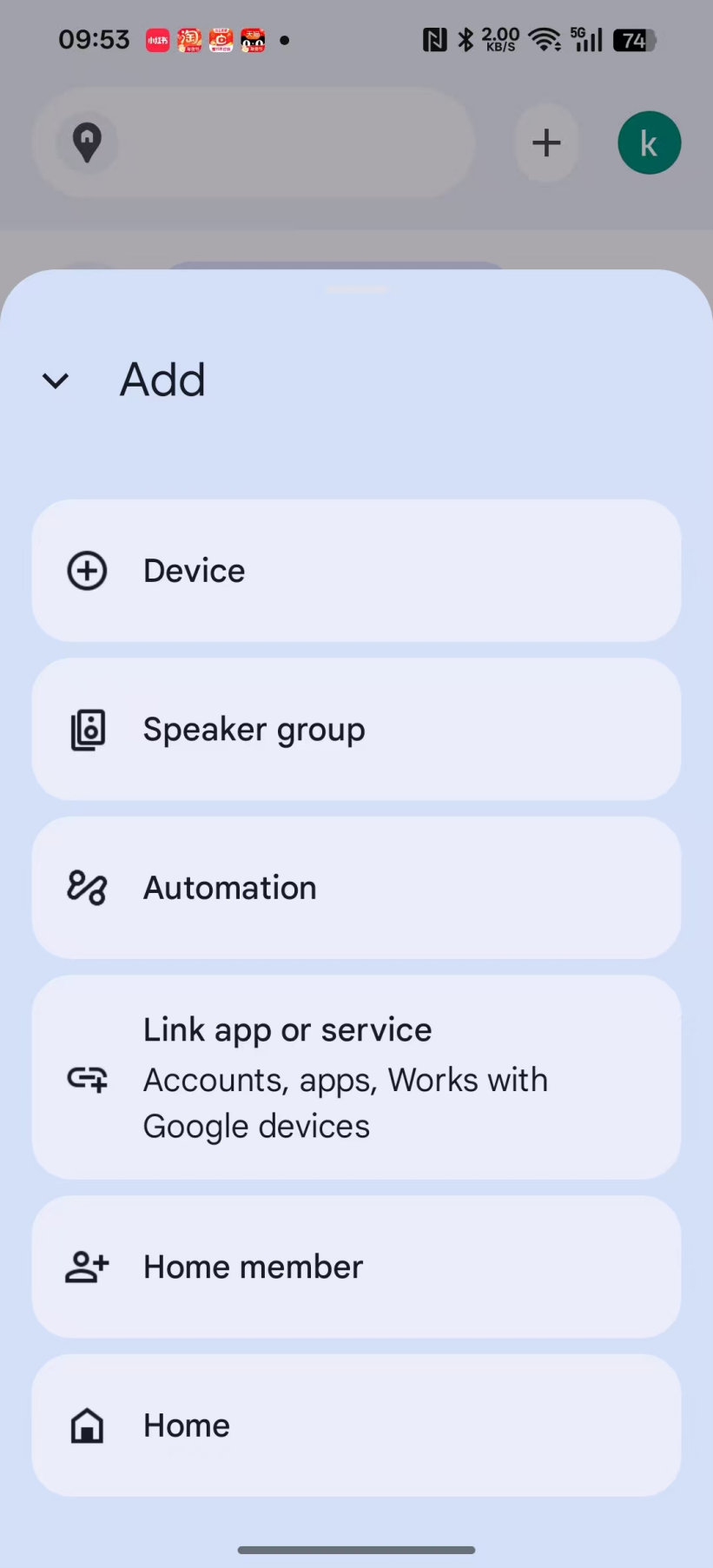
- Automatic Discovery: Using Bluetooth Low Energy (BLE), Google Home will automatically detect the HOLOWHAS Plus. When the “Matter device found” notification appears, tap “Yes.”
- Visual Verification: Scan the Matter QR Setup Code located on the device chassis. Google Home will automatically share your Wi-Fi credentials with the Plus, creating a secure local connection.
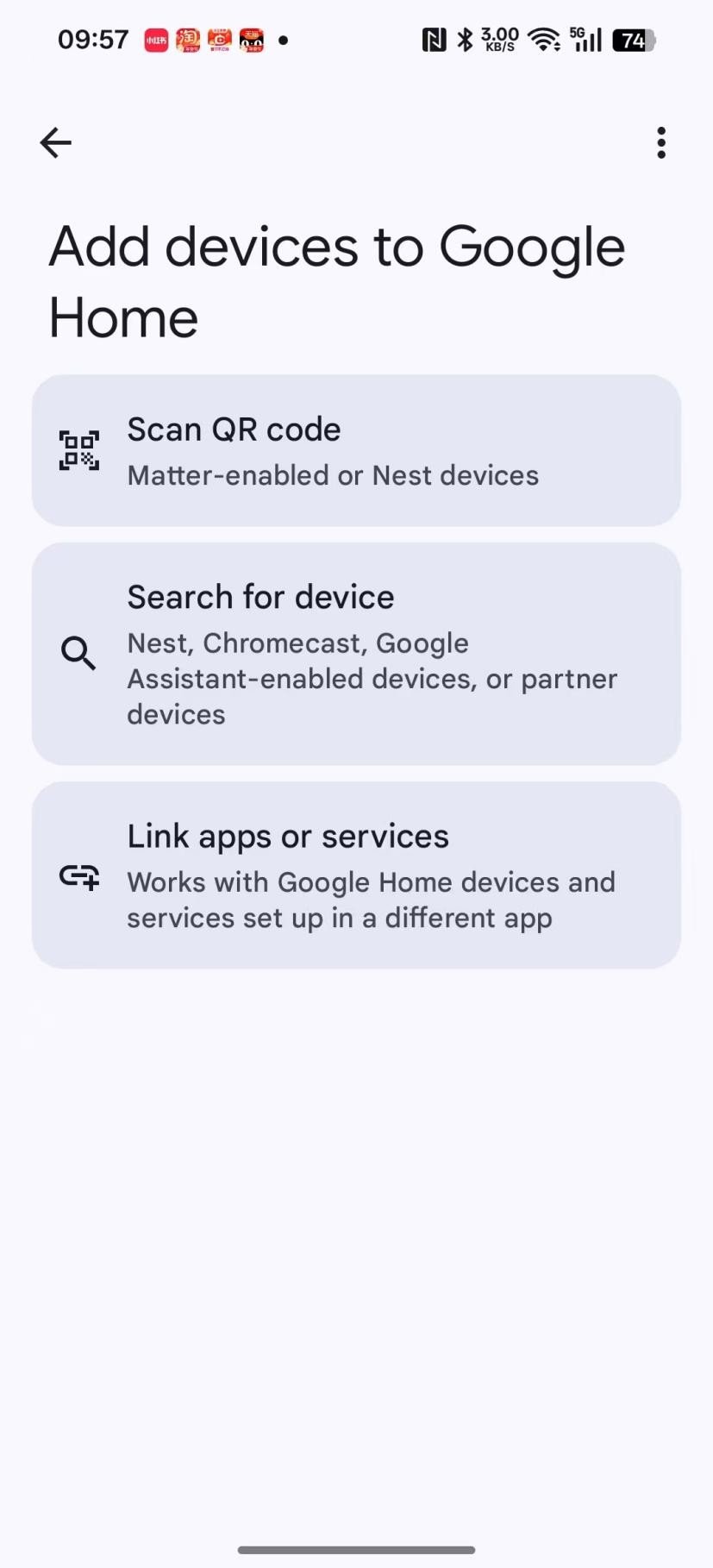
- Room Assignment: Once connected, assign each of the 8 identified zones to a specific “Room” in your Google Home environment. This is critical for accurate natural language routing with Google Assistant.
3. Technical Core: Deep-Link Bi-directional Synchronization
The “Plus” series features our proprietary Deep-Link architecture, ensuring your Google Home interface is a perfect, real-time mirror of the hardware state.
- Unified State Awareness: Whether you adjust the volume slider on a Nest Hub touch screen, use the Google Home App, or the physical controls on the unit, all interfaces update simultaneously. The bi-directional feedback loop operates with a latency of less than 30ms.
- Hardware-Level Grouping: When you create “Speaker Groups” in Google Home for multi-zone playback, the HOLOWHAS Plus manages the clock-synchronization at the hardware level. This eliminates the “echo effect” often found in software-based multi-room systems.
- Native Media Integration: The Plus reports its playback status directly to the Google Home Media Panel, allowing for instant “Mute” or “Volume” adjustments from any Google-enabled screen in the house.
4. Advanced Google Assistant Interaction: Natural Language Mastery
Control your entire home’s soundscape with intuitive, conversational commands through any Nest Mini, Hub, or smartphone:
- Direct Volume Logic: “Hey Google, set the Social Hub volume to 60 percent.”
- Incremental Adjustments: “Hey Google, turn up the Kitchen audio by 10 percent.”
- Zone Specific Control: “Hey Google, mute the Energy Engine.” or “Hey Google, is the music playing in the Private Oasis?”
- Whole-Home Synchronization: “Hey Google, play my ‘Morning Chill’ playlist on all speakers.”
5. Global Support & Future-Proofing
The HOLOWHAS Plus is designed to evolve alongside the Google Home ecosystem.
- OTA Evolution: Through the Matter protocol, your device will receive background Over-The-Air updates that refine DSP performance and maintain compatibility with the latest Google Home features.
- Official Resource Center: Visit [www.openaudio.io] for technical specifications, mounting guides, and wiring diagrams.
- Customer Support: For assistance with network topology or integration inquiries, contact our support team at support@openaudio.io
6. Executive Summary
The HOLOWHAS Plus is the definitive multi-zone audio solution for the Google Home ecosystem. By combining 8 zones of high-performance amplification with the universal simplicity of Matter, it delivers a responsive, synchronized, and voice-first audio experience. Designed for the modern family, the Plus transforms a residence into an intelligent soundscape where every room responds instantly to touch or voice, all while adhering to the professional acoustic standards of the OpenAudio brand.