


YOUR CART
- No products in the cart.
Subtotal:
$0.00
BEST SELLING PRODUCTS



$370.00
$ 1,329 USD $ 1,329 USD
Buy Directly
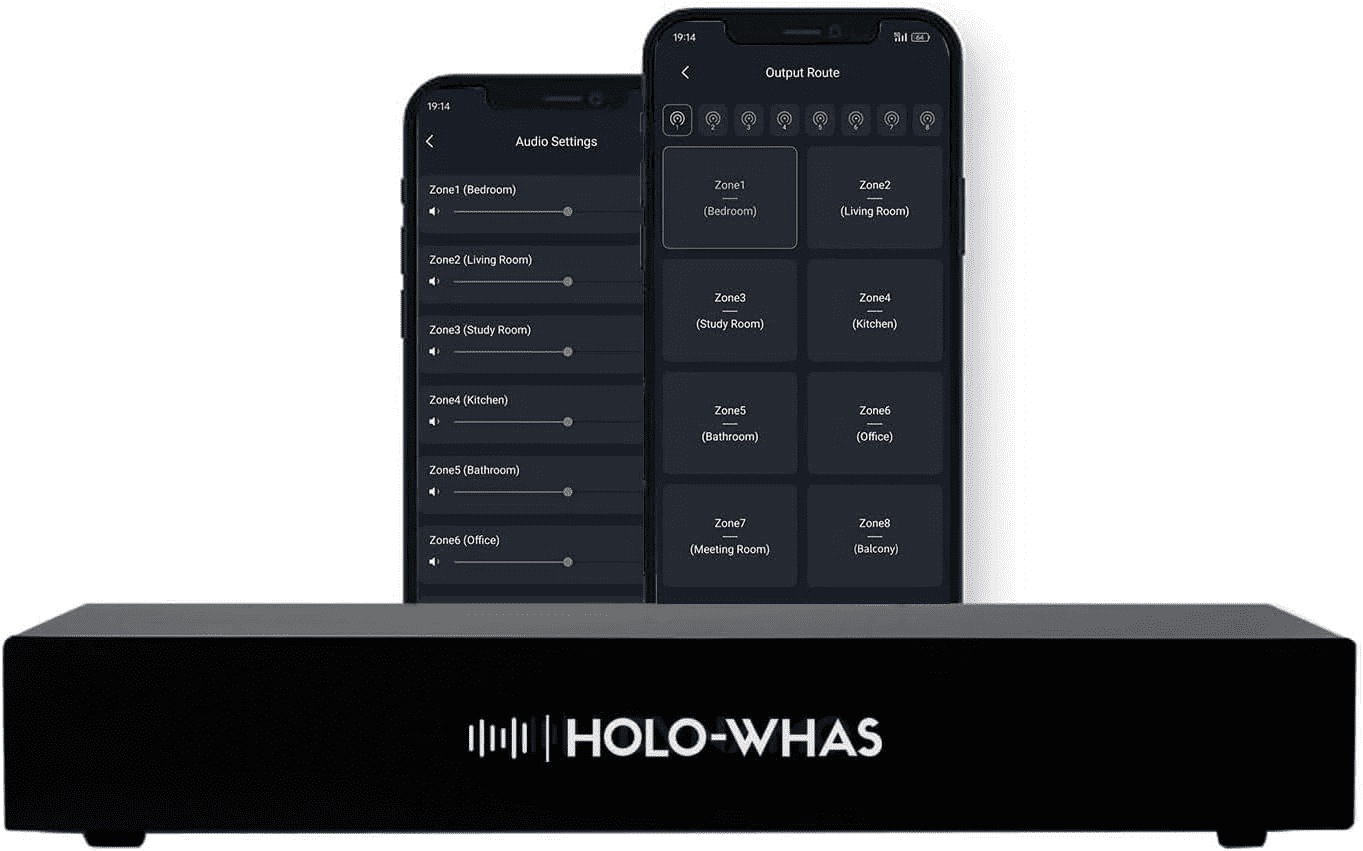
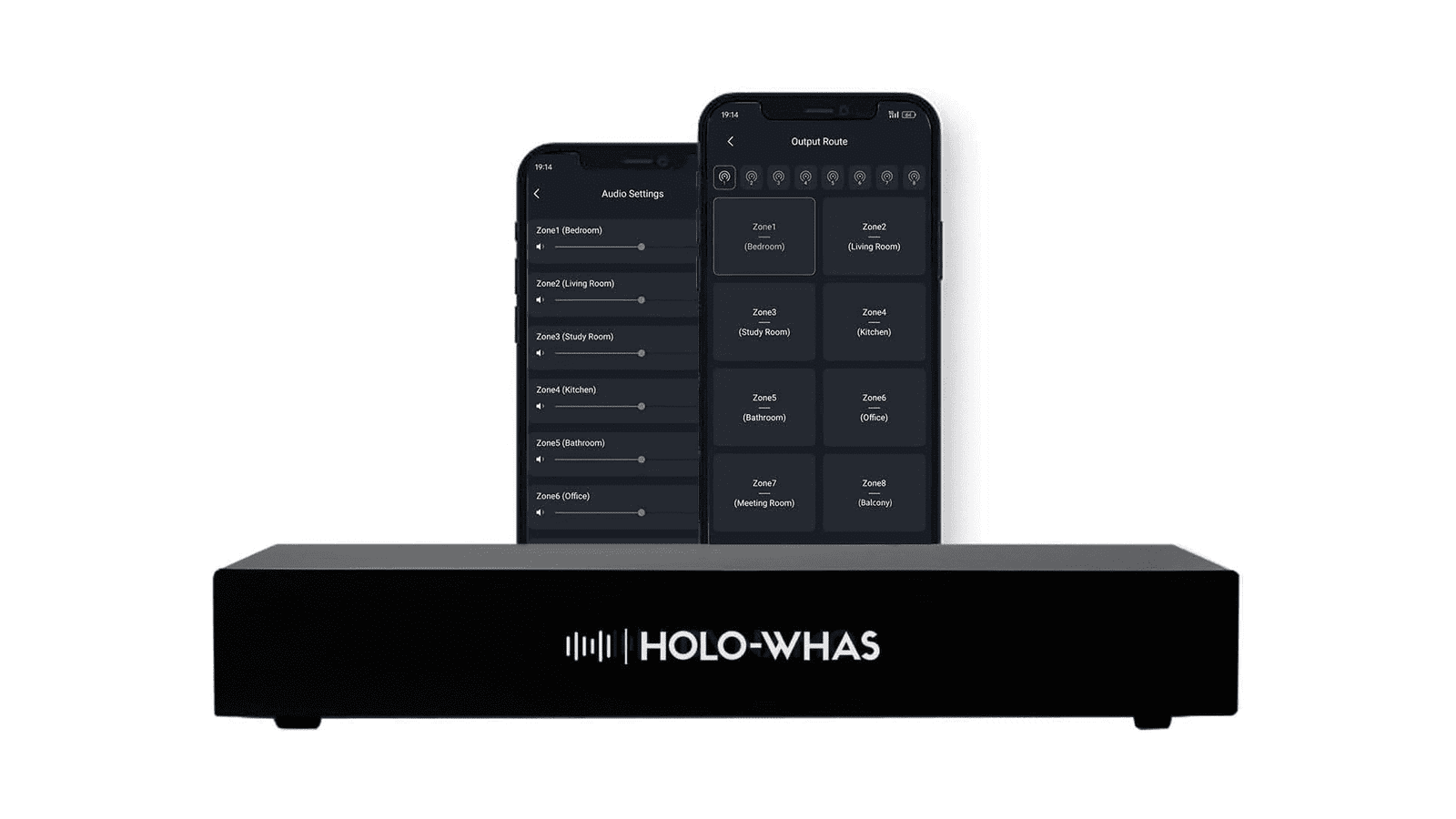
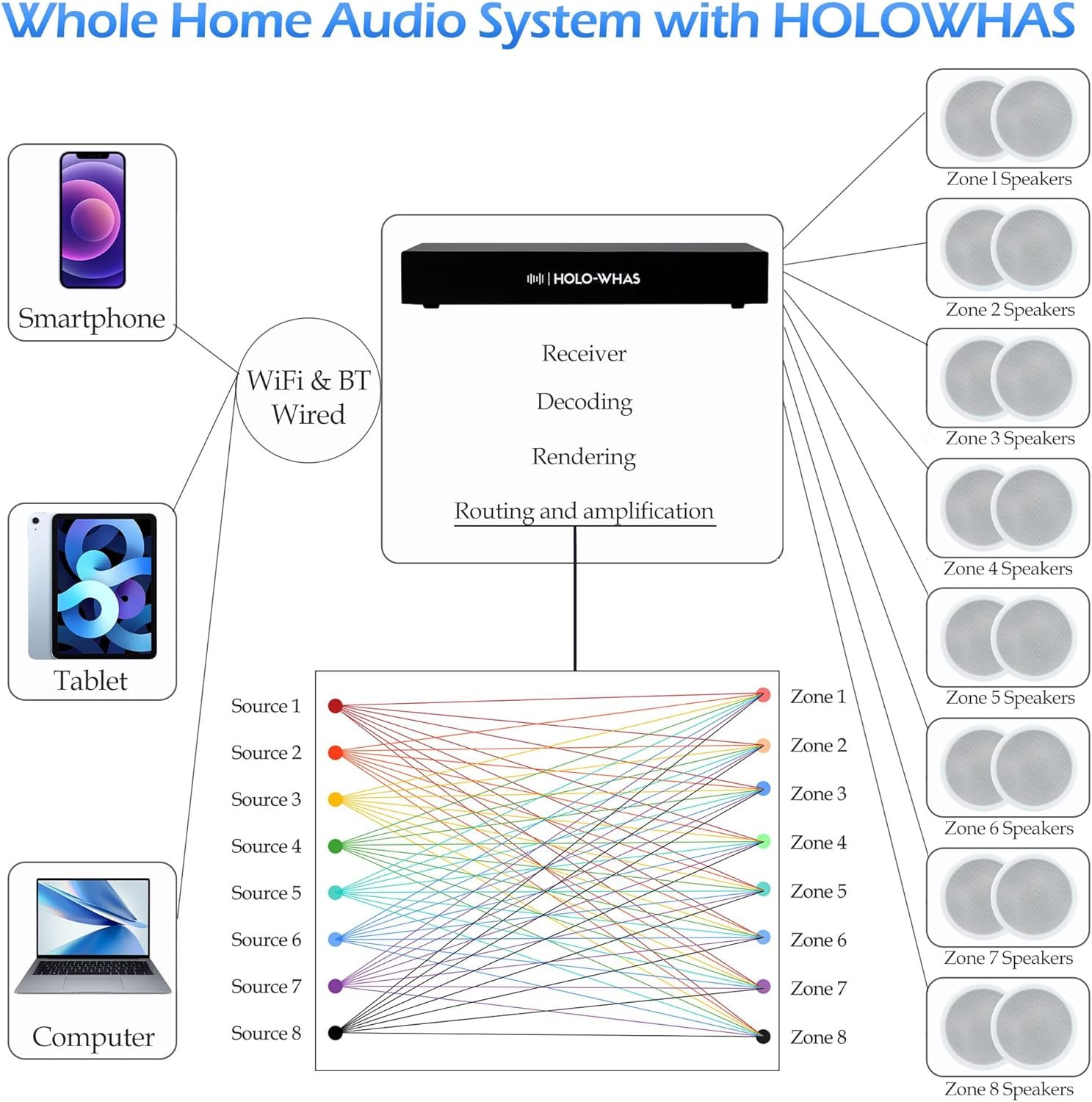
HOLOWHAS is an 8-zone multi-room streaming amplifier, its power output capability is 16 x 60W, so the total is 960W. It is an ideal solution for distributing HiFi audio to different rooms or zones within the whole house or building with pre-wired speakers. This allows you to play different audio sources in different areas or synchronize the playback for a consistent listening experience throughout.
This amplifer offers 8 distinct input source options to cater to 8 zones, allowing for versatile combinations ofmusic playback across different zones. Users have access to 5 streaming options.
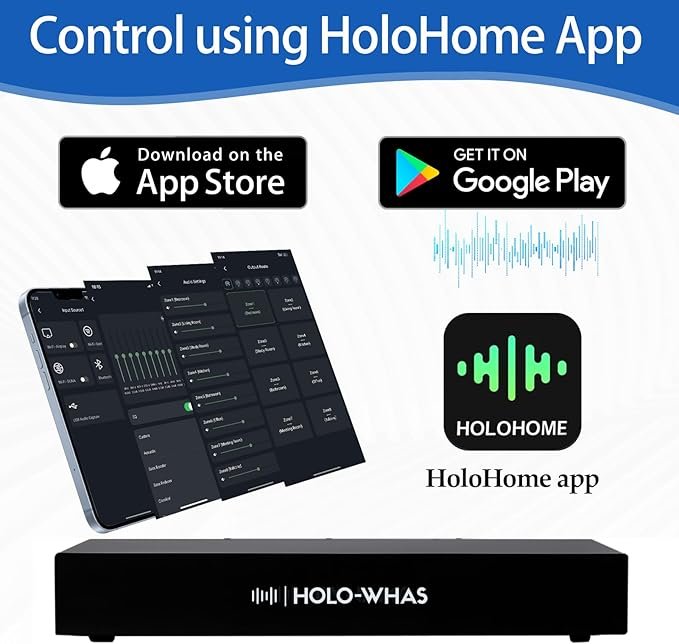
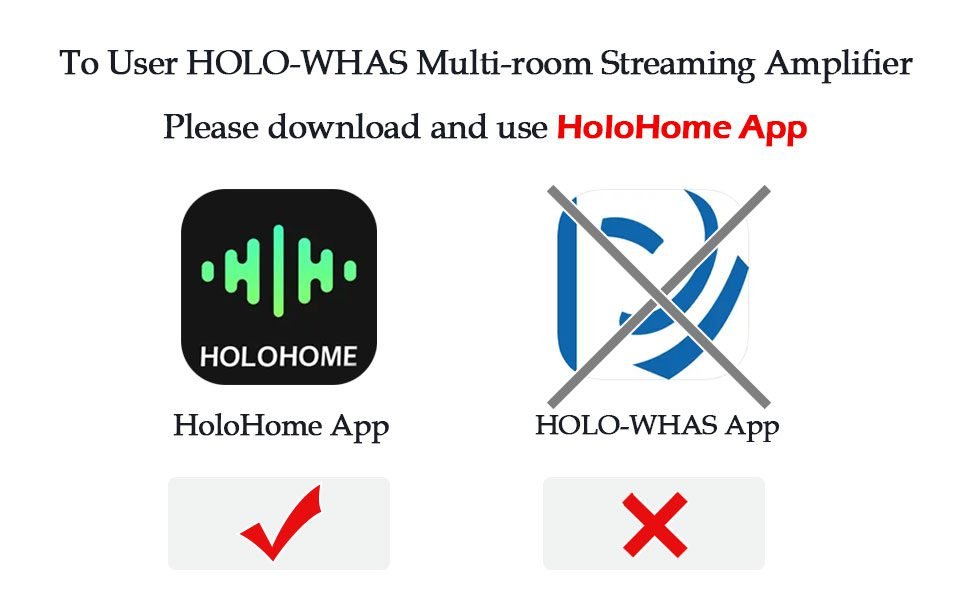
All of the above functions can be controlled using the HoloHome mobile application available.Easily connect your TV with the Diginow RCA-to-USB converter, and hook up yourmicrophone using the Plye XLR-to-USB converter
OpenAudio is dedicated to delivering cutting-edge smart home solutions with a range of products that includes HOLOWHAS, HoloHome Streamer+, HoloHome Streamer, and StreamerAmp Pro. Additionally, the HOLOWHAS line has expanded to encompass HOLOWHAS, HOLOWHAS Ultra, HOLOWHAS+, and HOLOWHAS Max. Each product is tailored to meet different needs within the smart home ecosystem, ensuring there’s an OpenAudio solution perfect for every home.
Purchase on our offcial website and receive an extra USB converter for free – while supplies last!
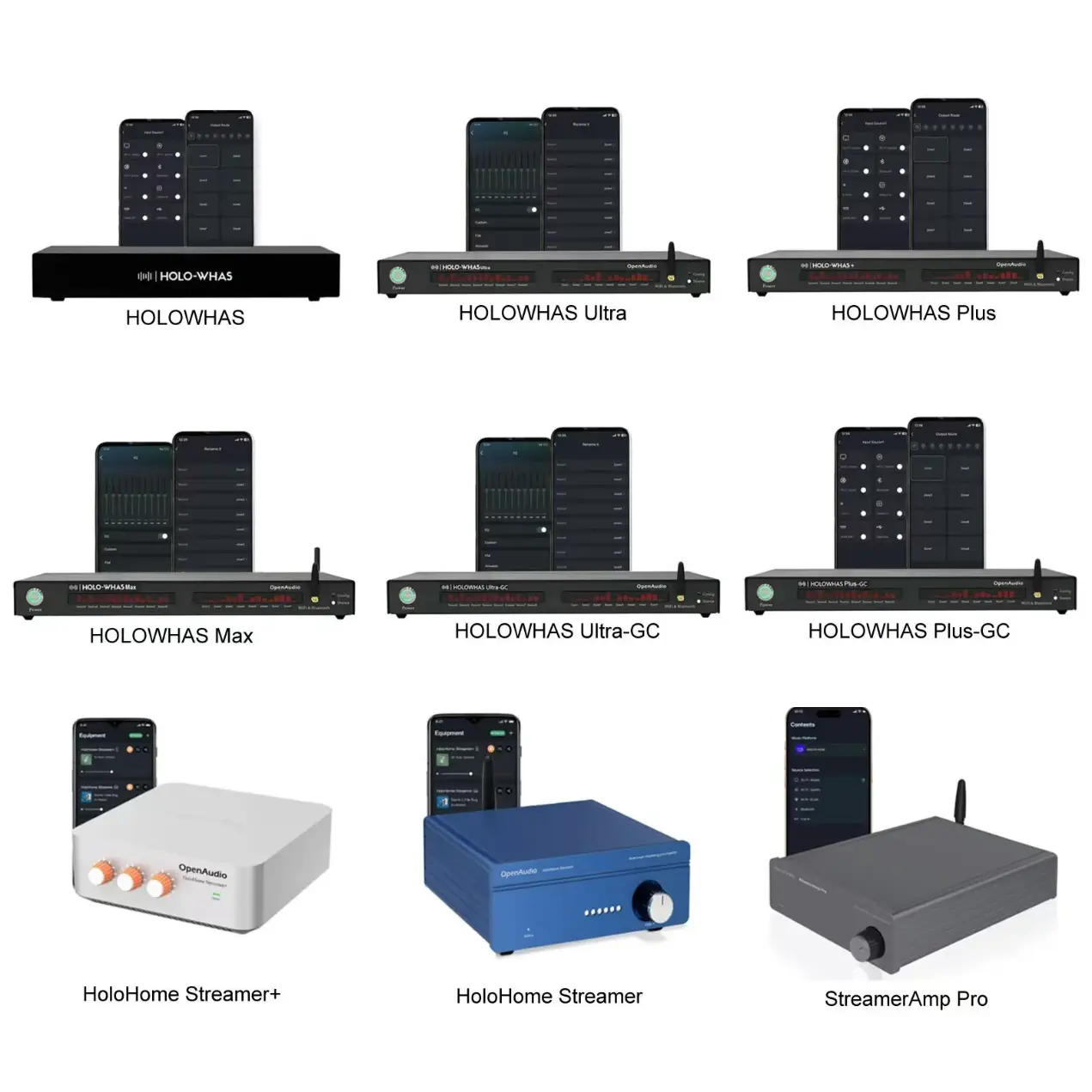
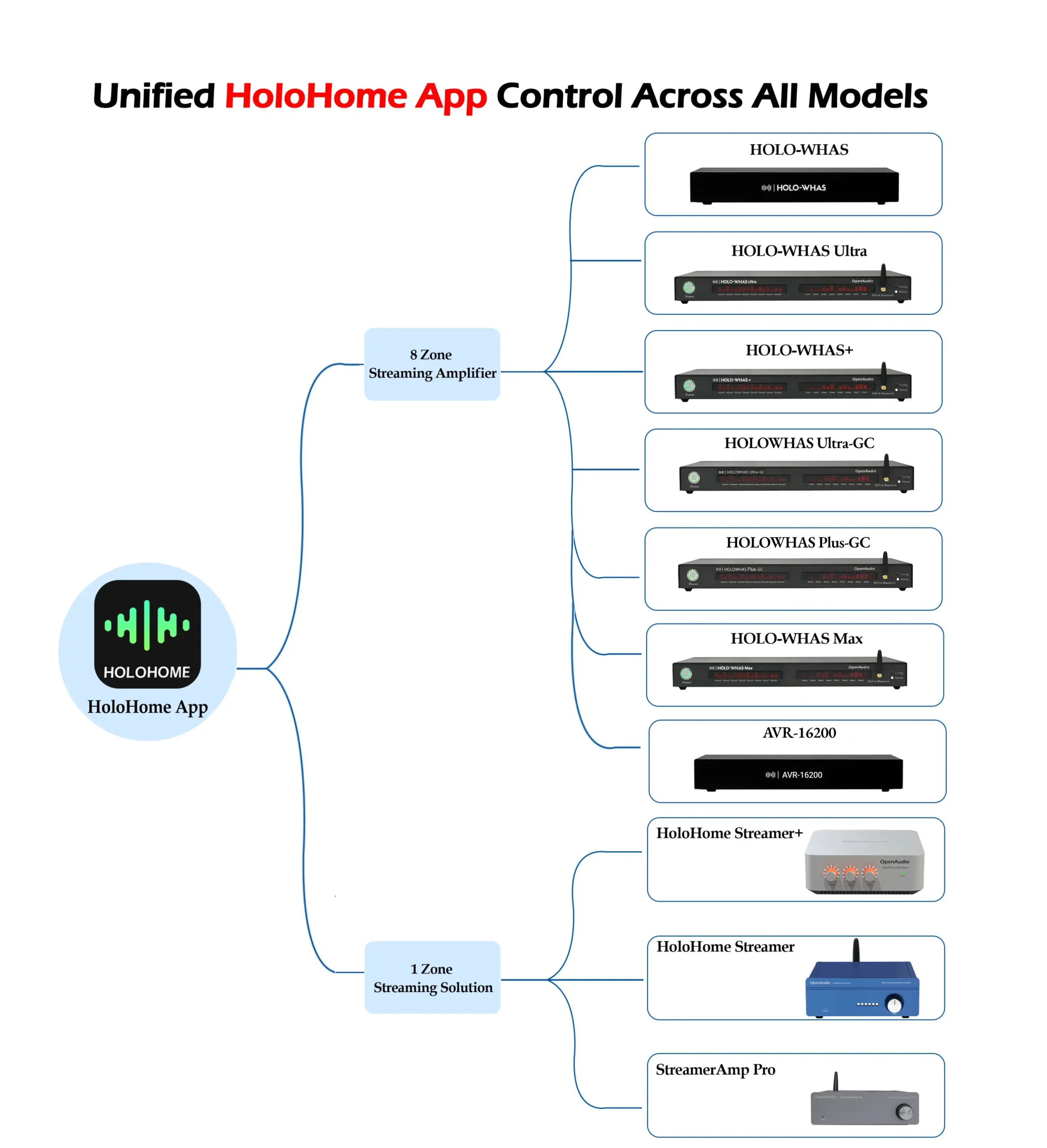
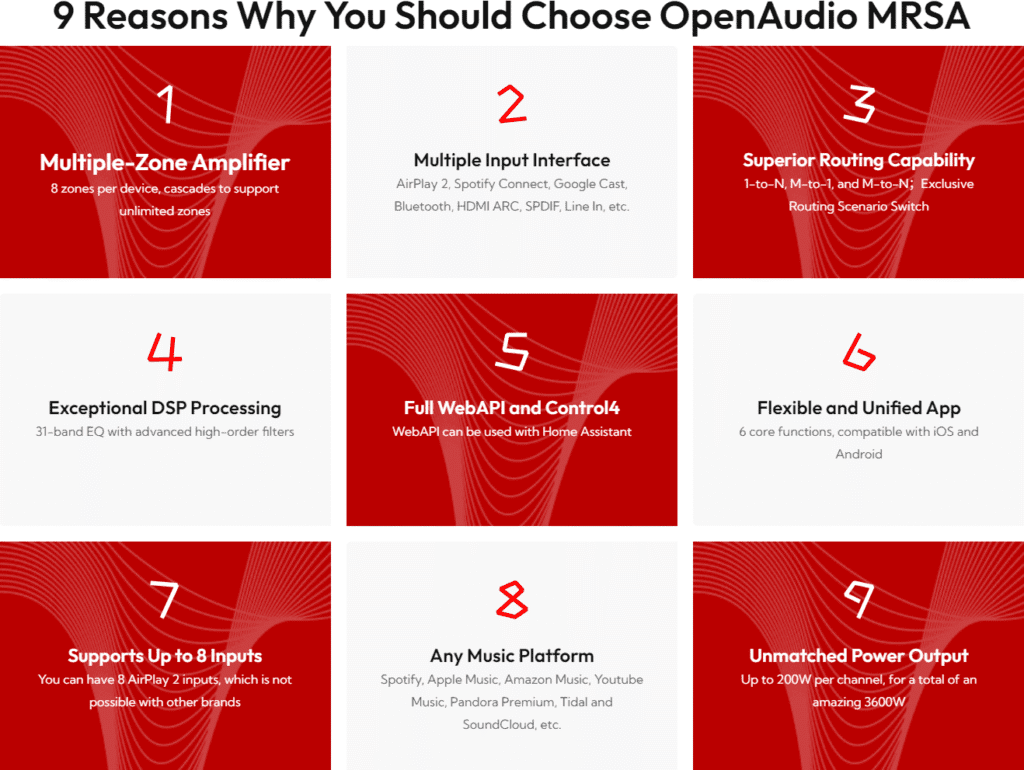
OpenAudio is dedicated to delivering cutting-edge smart home solutions with a range of products that includes HOLOWHAS, HoloHome Streamer+, HoloHome Streamer, and StreamerAmp Pro. Additionally, the HOLO-WHAS line has expanded to encompass HOLO-WHAS, HOLO-WHAS Ultra, HOLO-WHAS Plus, HOLO-WHAS Max, HOLO-WHAS Ultra-GC and HOLO-WHAS Plus-GC, etc. Each product is tailored to meet different needs within the smart home ecosystem, ensuring there’s an OpenAudio solution perfect for every home.
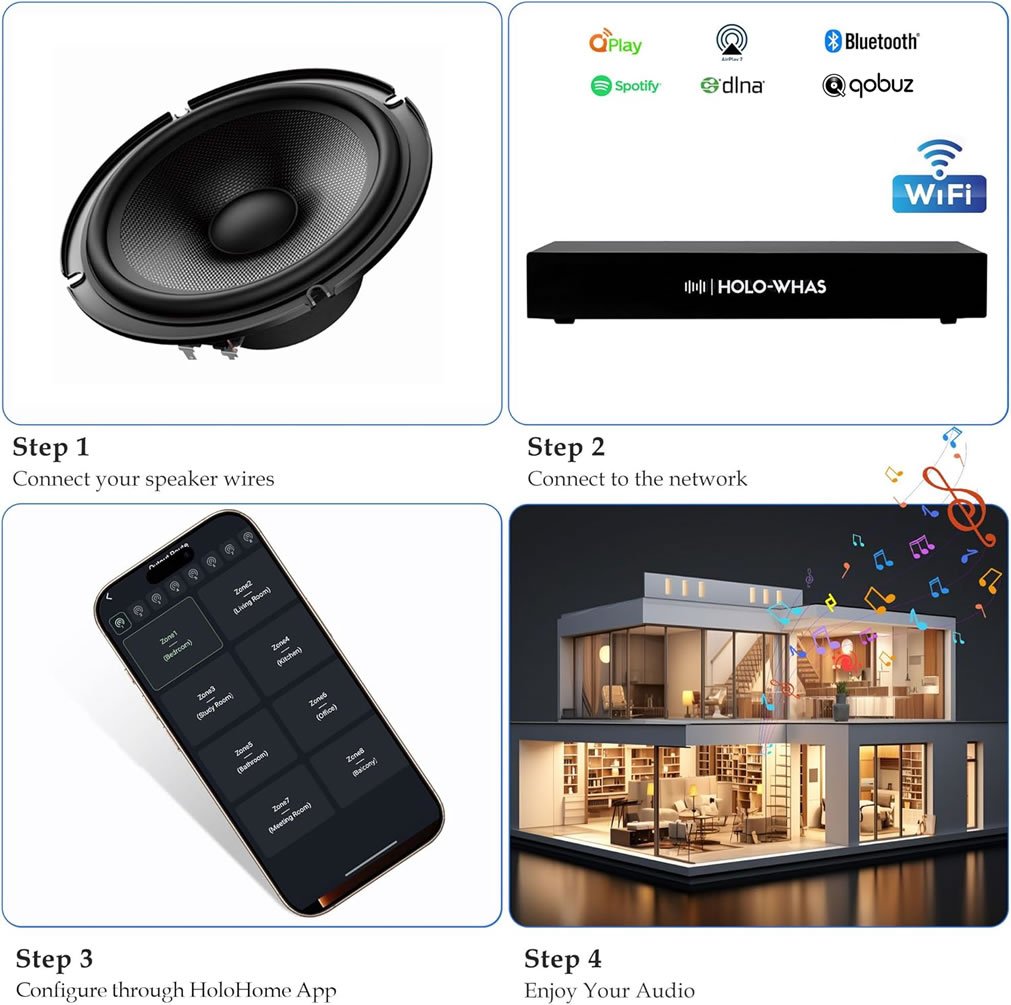
Easy Network Setup: Allowing users to easily set up the HOLOWHAS network through HoloHome App. The setup is guided, making it simple and user-friendly.
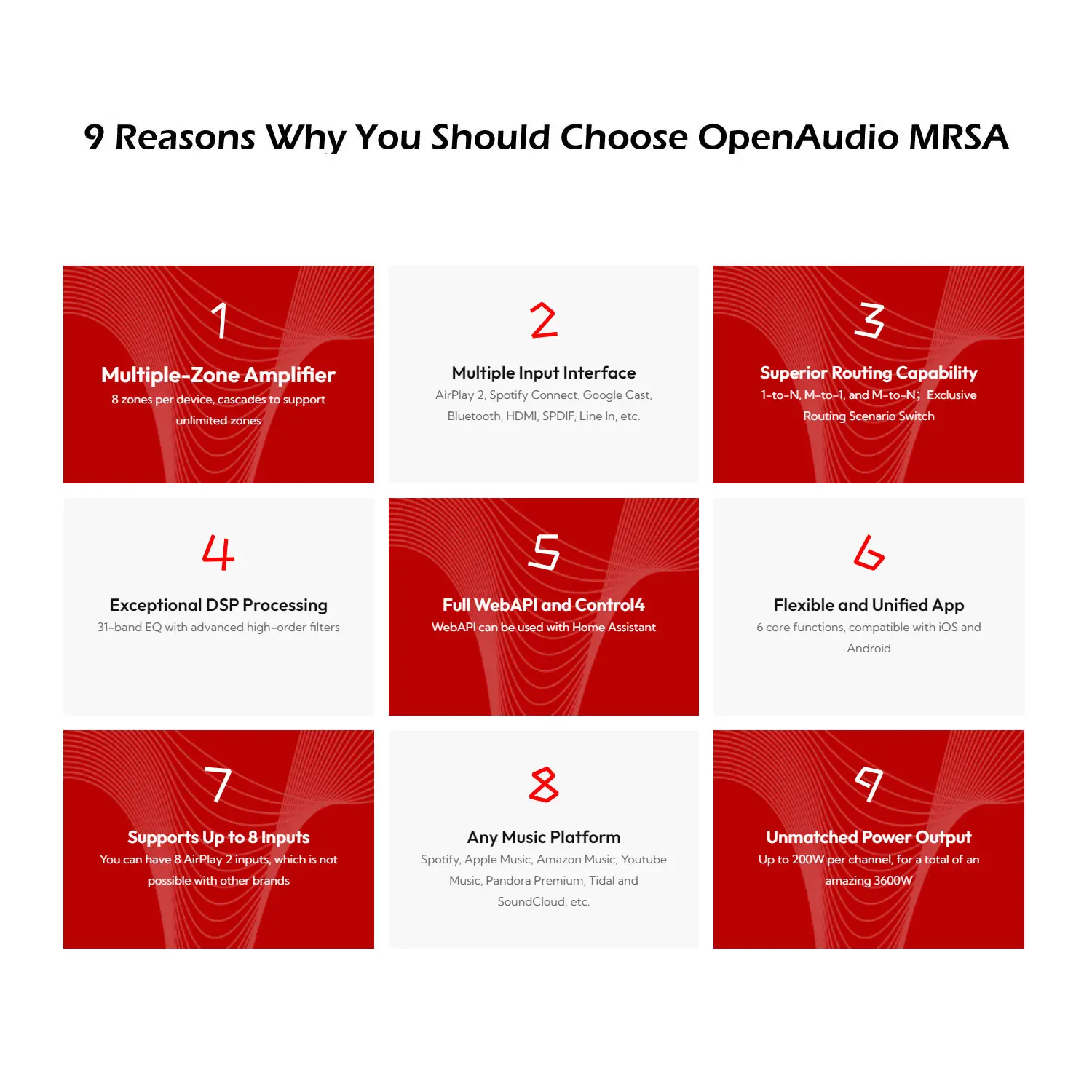
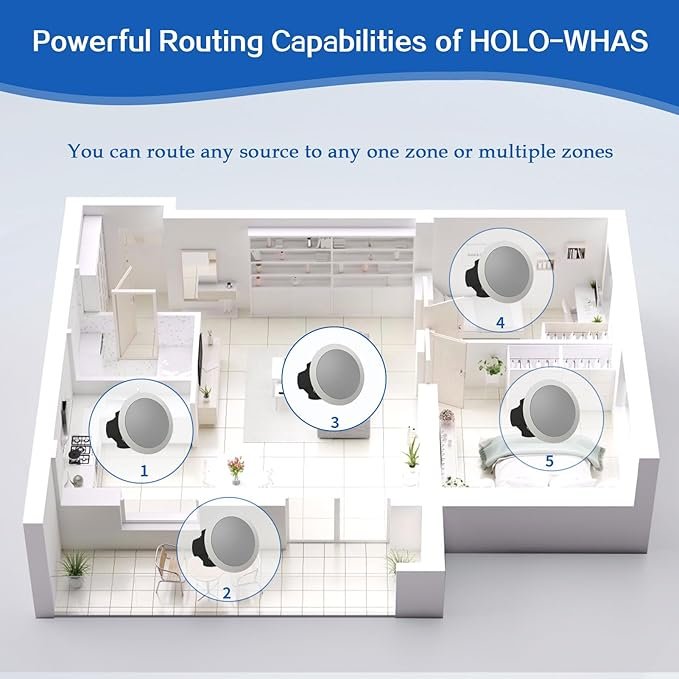
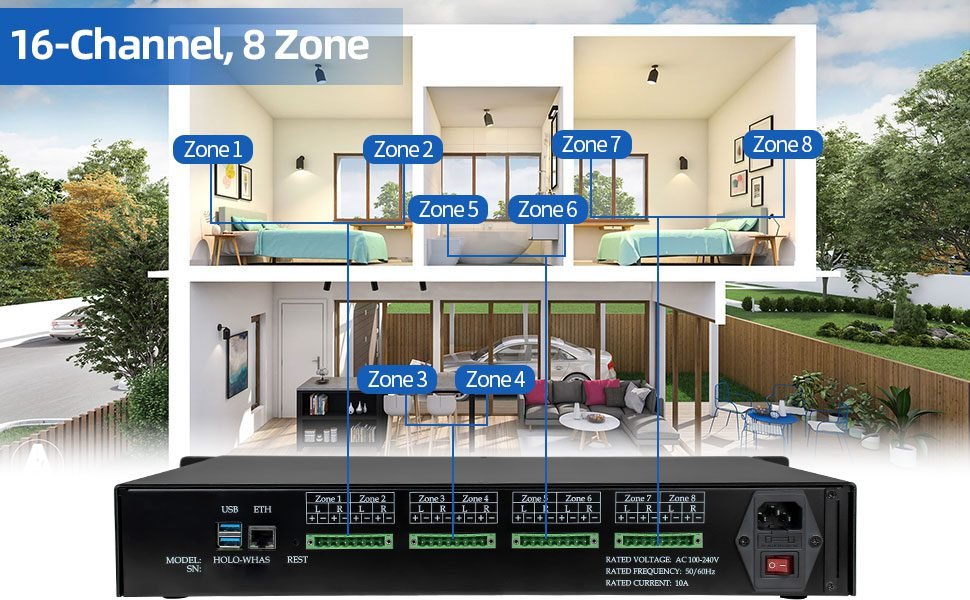
Multi-Zone Support: Supports up to 8 independent audio zones simultaneously. Allows playing different audio content in different rooms or areas, suitable for homes, commercial spaces, or conference rooms.
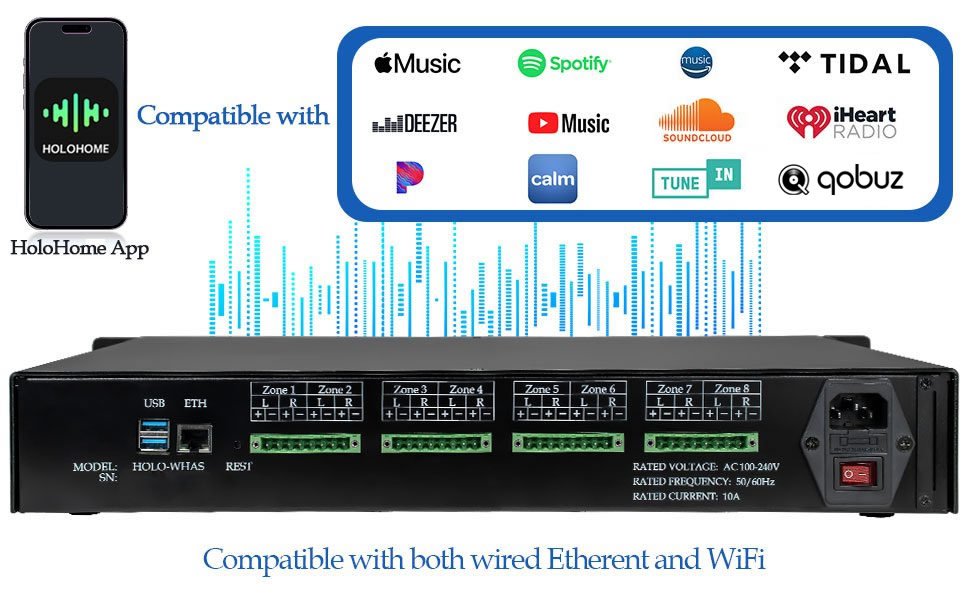
Streaming Capabilities:Offers streaming playback capabilities. Access to various audio sources via a network connection (typically Wi-Fi or Ethernet), including Qobuz Connect, Airplay2, DLNA, Spotify Connect, Bluetooth Audio.
More Input Options: In addition to streaming playback, HOLO-WHAS also supports local inputs, used to connect local audio playback devices (such as CD/DVD players) and play the input audio in different rooms or areas. You should buy one RCA to USB cable, such as DigiNow RCA-to-USB Signal Adapter.
Intuitive User Interface: Simple and intuitive HoloHome App interface. Quick access to necessary functions and operation options without extensive searching or learning.
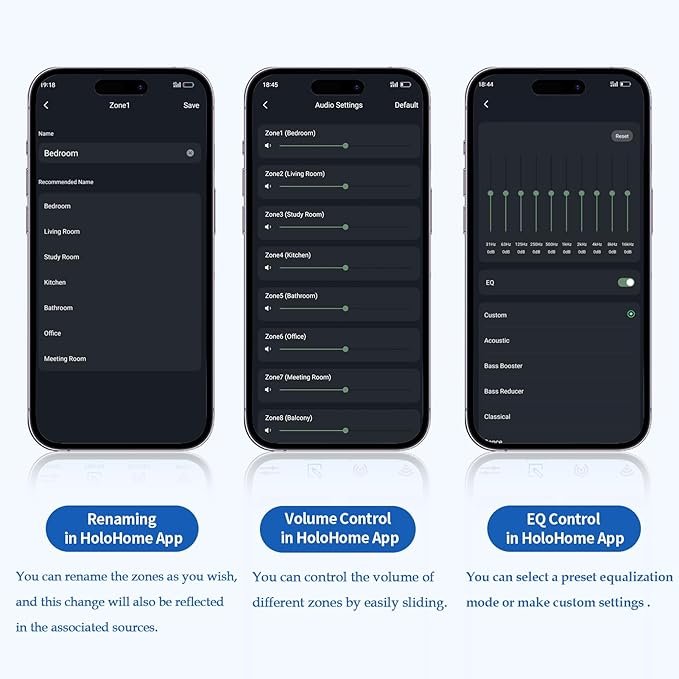
Easy Zone Selection: Users can easily select the area they want to control.
Simple Audio Source Switching: Clear interface for intuitive selection and switching between different audio sources like Qobuz Connect, Airplay2, Spotify, and DLNA.
Intuitive Volume Control: Easy adjustment of volume for each zone with a simple slider.
Good Compatibility: App runs smoothly on different mobile platforms and is compatible with various phone models and operating system versions.
Flexible Installation Options: Can be installed in a rack or mounted on a wall to suit different installation environments and needs.
High Audio Quality and Performance: Typically features excellent audio processing and amplification technology. Ensures high-quality audio output and a stable, clear audio experience in each zone.
You can contact us to get support when you face some issues, and you can also have chance to obtain free function updates to make it more powerful. You can get a voucher by contacting us via email at support@openaudio.io
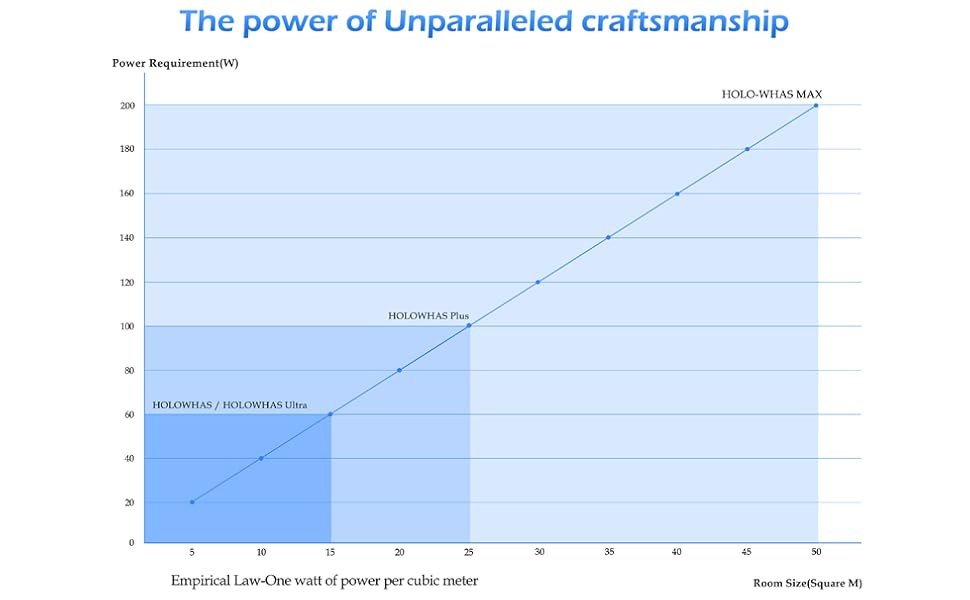
If you want more interface, such as HDMI ARC, Line In and Spdif, please buy HOLO-WHAS Ultra; if you want more power output, please consider HOLO-WHAS Plus (100W/Channel) & HOLO-WHAS Max (200W/Channel); if you want google cast capability, please consider Ultra-GC or Plus-GC; if you want one zone solution, please consider Streamer+, Streamer, and StreamerAmp Pro. Please email us at support@openaudio.io if any question.
| Feature | Description |
|---|---|
| Zones | 8 zones (16 channels) |
| Streaming Source | 8 Streaming (8 different sources can connect concurrently) |
| Outputs | 60 W per channel at 8 Ohm (stable down to 2 ohms), total 960W |
| Wireless Inputs | Qobuz Connect, Airplay2, Spotify Connect, DLNA, Bluetooth |
| Wired Inputs | USB Audio Capture (RCA/XLR/HDMI-to-USB Convertor needed) |
| THD+N | 0.001% |
| SNR | 112 dB |
| Inter-modulation distortion | 0.002% |
| Frequency Response Range | 20Hz-20kHz |
| Power Input | AC 100-240V, 6.8A, 50/60Hz |
| Dimensions | 16.75”x 12”x2.625” |
| subwoofer | Use a High to Low adapter |
In this video, we demonstrate how to manually install and configure the official OpenAudio HOLOWHAS Home Assistant Integration.
The OpenAudio HOLOWHAS Series multi-room streaming amplifiers — including HOLOWHAS Ultra, Plus, Max, Ultra-GC, Plus-GC, and Max-GC — officially support Home Assistant, allowing seamless integration into your smart home ecosystem.
Two installation methods are supported:
• Manual Installation
• HACS Installation
This video focuses on the Manual Installation method, guiding you step-by-step through the entire process — from downloading the integration to controlling your amplifier inside Home Assistant.
In this video, we show you how to easily install the official OpenAudio HOLOWHAS Home Assistant Integration using HACS — the recommended method for automatic updates and version management.
This video builds on our previous tutorial, which covered manual installation. If you prefer simpler maintenance and hassle-free updates, HACS is the way to go.
The HOLOWHAS Series multi-room streaming amplifiers are officially supported by Home Assistant, including:
• HOLOWHAS Ultra
• HOLOWHAS Plus
• HOLOWHAS Max
• HOLOWHAS Ultra-GC
• HOLOWHAS Plus-GC
• HOLOWHAS Max-GC
This protocol enables full 8×8 matrix audio control via standard KNXnet/IP text commands.
🔷 System Overview The HOLOWHAS Series supports:
Discover the complete OpenAudio HOLOWHAS Series, a unified lineup of professional multi-room streaming amplifiers designed for whole-home audio, smart home integration, and high-performance entertainment systems. The HOLOWHAS Series includes HOLOWHAS, HOLOWHAS Ultra, HOLOWHAS Plus, HOLOWHAS Max, HOLOWHAS Ultra-GC, HOLOWHAS Plus-GC, and the flagship AVR-1046. All models are built on a shared core platform, delivering a consistent user experience while offering different performance levels and system capabilities to suit a wide range of residential and commercial installations.
AirPlay and Google Cast are widely used for multi-room audio, but their grouping models are
limited to protocol-level behavior.
In this video, we explain how OpenAudio Routing Groups move grouping logic into the systemlayer through the HoloHome App, allowing users to:
This is not about replacing AirPlay or Google Cast-it’s about extending them through system-levelcontrol.
This demonstration introduces HOLO-WHAS, an 8-zone multi-room streaming amplifier delivering 16 channels at 60 W per channel, with a total output power of 960 W.
Designed for whole-home and multi-zone audio systems with pre-wired speakers, HOLO-WHAS supports both independent playback in each zone and synchronized audio across all zones for a seamless listening experience.
HOLO-WHAS delivers reliable performance, flexible control, and high-fidelity sound for modern multi-room audio installations.
This demonstration provides an overview of the HOLO-WHAS multi-room amplifier, including unboxing, system design, and app-based control.
Supporting up to 16 speakers across 8 independent zones and delivering nearly 1,000 W of total output power, HOLO-WHAS enables flexible whole-home audio distribution, with independent or synchronized playback managed through the HoloHome mobile app.
HOLO-WHAS is well suited for residential and light commercial environments such as homes, offices, restaurants, and cafés.
This demonstration provides a closer look at the contents of the HOLO-WHAS multi-room streaming amplifier package and its integration with the HoloHome mobile app for smart audio control.
Once powered on and connected, HOLO-WHAS enables playback control, input selection, and management of up to 8 audio zones through the HoloHome app. With support for AirPlay 2, Spotify Connect, DLNA, Bluetooth, and other sources, it is designed for high-performance whole-home audio systems.
This demonstration walks through the complete installation and rack wiring process of the HOLO-WHAS network streaming amplifier in a centralized 19-inch equipment rack.
It showcases the setup and configuration of five independent audio zones—including the master bedroom, bathroom, guest room, office, and front room—illustrating practical whole-home audio distribution in a real residential environment.
This demonstration provides a practical reference for multi-room audio installations, suitable for both professional integrators and advanced DIY users.
This demonstration provides a first look at the OpenAudio HOLO-WHAS streaming amplifier, an 8-zone multi-room solution designed for smart and architectural audio installations.
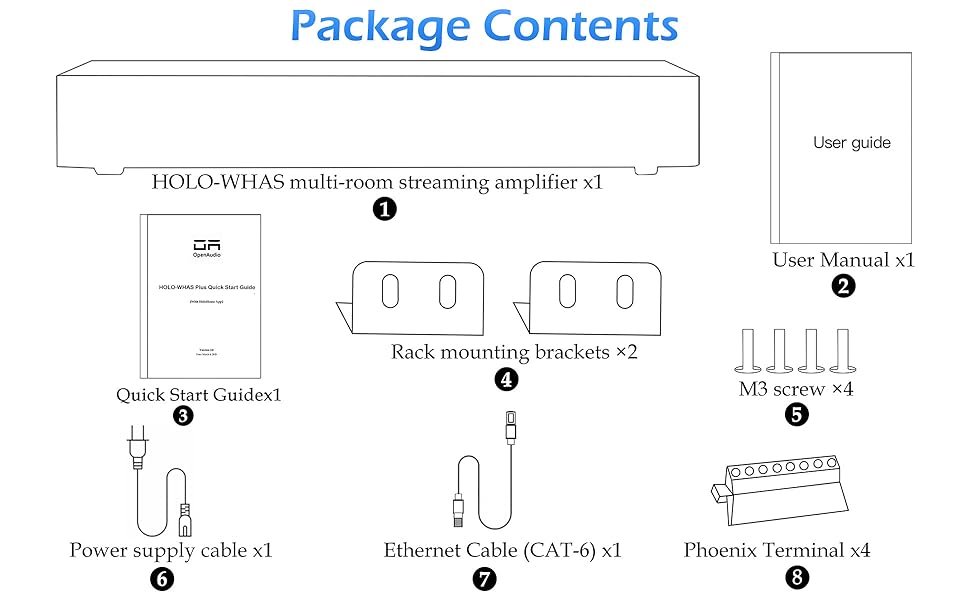
It highlights the packaging quality and included accessories, such as the power cable, CAT6 Ethernet cable, Phoenix terminal adapters, rack mounting hardware, and wireless antennas. The amplifier’s 19-inch rack-mount form factor, individual left/right speaker terminals per zone, and support for USB auxiliary input, Ethernet, and Wi-Fi connectivity are also presented.
HOLO-WHAS is well suited for clean, centralized whole-home audio systems installed in data closets or equipment racks, offering a reliable foundation for multi-zone audio distribution.
This demonstration walks through the wiring process of the OpenAudio HOLO-WHAS streaming amplifier for a five-zone whole-home audio system.
It covers zone planning and mapping, use of the included Phoenix connectors for stereo and mono speaker configurations, proper preparation of 16-gauge speaker cables, and correct polarity and channel orientation. The video also highlights cable labeling and preparation for rack installation, along with an overview of the next setup steps, including firmware updates, Wi-Fi configuration, and software setup.
This guide demonstrates the complete setup and configuration process for the OpenAudio HOLO-WHAS multi-zone streaming amplifier.
It covers initial device connection via Wi-Fi, zone naming and management, output routing configuration, EQ adjustment, and firmware update checks. The demonstration also highlights support for multiple input and streaming sources, including AirPlay, Spotify, DLNA, Bluetooth, and USB audio.
Designed for both DIY audio enthusiasts and professional installations, this guide provides clear instructions and practical insights for configuring whole-home or commercial multi-zone audio systems.
This guide demonstrates the complete setup and configuration process for the OpenAudio HOLO-WHAS multi-zone streaming amplifier.
It covers initial device connection via Wi-Fi, zone naming and management, output routing configuration, EQ adjustment, and firmware update checks. The demonstration also highlights support for multiple input and streaming sources, including AirPlay, Spotify, DLNA, Bluetooth, and USB audio.
Designed for both DIY audio enthusiasts and professional installations, this guide provides clear instructions and practical insights for configuring whole-home or commercial multi-zone audio systems.
| Specs | Juke-6/8 | HOLO-WHAS |
|---|---|---|
| 8 ohms power | 40W | 60W |
| 4 ohms power | 80W | 120W |
| Source In Num | 4 | 8 |
| Zones Num | 6/8 | 8 |
| SNR | 98db | 130db |
| THD+N | -92db | -120db |
| Specs | HOLO-WAHS | HOLO-WAHS+ |
|---|---|---|
| Zones | 8 zones (16 channels) | 6 zones (12channels) |
| Outputs | 60 watts per channel at 8 Ohm speaker impedance (stable down to 2 ohms) | 100 watts per channel at peak (200 watts per zone) |
| Number of Inputs | 4 different devices can connect concurrently | 4 different devices can connect concurrently |
| Wireless Inputs | Qobuz Connect, AirPlay, Spotify Connect, Bluetooth 5, DLNA | Qobuz Connect, AirPlay, Spotify Connect, Bluetooth 5, DLNA |
| THD+N | 0.005% | 0.005% |
| SNR | 112 dB | 112 dB |
| Inter-modulation distortion | 0.002% | 0.002% |
| Frequency Response Range | 20Hz-20kHz | 20Hz-20kHz |
| Power Input | AC 100-240V, 6.8A, 50/60Hz | AC 100-240V, 6.8A, 50/60Hz |
| Dimensions | 16.75” x 12” x 2.625” | 16.75” x 12” x 2.625” |
| Product Model | RCA IN | HDMI ARC | Optical IN | RCA OUT | Opt OUT | Coax OUT | ETH | Power PC | Zones |
|---|---|---|---|---|---|---|---|---|---|
| HOLO-WHAS | Y(usb) | N | N | N | N | N | Y | 60W | 8 |
| HOLO-WHAS Ultra | Y | Y | Y | Y | Y | N | Y | 60W | 8 |
| HOLOWHAS Ultra-GC | Y | Y | Y | Y | Y | N | Y | 60W | 8 |
| HOLO-WHAS Plus | Y | Y | Y | Y | Y | N | Y | 100W | 8 |
| HOLOWHAS Plus-GC | Y | Y | Y | Y | Y | N | Y | 100W | 8 |
| HOLO-WHAS Max | Y | Y | Y | Y | Y | N | Y | 200W | 8 |
| HoloHome Streamer+ | Y | Y | Y | Sub Out | N | N | Y | 75W | 1 |
| HoloHome Streamer | Y | Y | Y | Y+Sub | Y | Y | Y | --- | 1 |
| StreamerAmp Pro | Y | N | N | Pre Out | N | N | N | 150W | 1 |
| Product Model | USB Disk | EQ | Bluetooth | Source | BLE Conf | Airplay | Spotify | DLNA | GoogleCast | 5.1/7.1 | ATMOS | Control4 | Qobuz Connect | |
|---|---|---|---|---|---|---|---|---|---|---|---|---|---|---|
| HOLO-WHAS | N | Y | Y | 8 | Y | Y | Y | Y | N | N | N | Y | Y | |
| HOLO-WHAS Ultra | Y | Y | Y | 8 | Y | Y | Y | Y | N | N | N | Y | Y | |
| HOLOWHAS Ultra-GC | Y | Y | Y | 8 | Y | Y | Y | Y | Y | N | N | Y | Y | |
| HOLO-WHAS Plus | Y | Y | Y | 8 | Y | Y | Y | Y | N | N | N | Y | Y | |
| HOLOWHAS Plus-GC | Y | Y | Y | 8 | Y | Y | Y | Y | Y | N | N | Y | Y | |
| HOLO-WHAS Max | Y | Y | Y | 8 | Y | Y | Y | Y | N | N | N | Y | Y | |
| AVR-16200 | Y | Y | Y | 8 | Y | Y | Y | Y | N | Y | Y | Y | Y | |
| HoloHome Streamer+ | Y | Y | Y | 1 | Y | Y | Y | Y | N | N | N | Y | Y | |
| HoloHome Streamer | Y | Y | Y | 1 | Y | Y | Y | Y | N | N | N | Y | Y | |
| StreamerAmp Pro | N | Y | Y | 1 | Y | Y | Y | Y | N | N | N | Y | Y |
Answer 1: Simply install AirMusic on your Android device.
Answer 2: Absolutely, you can expand beyond 8 zones, even playing the same music in unlimited different rooms with multiple HOLO-WHAS.
Answer 3: Yes, it's a unique multi-room home sound system that supports USB disk playback, see also HOLO-WHAS Plus or Max.
Answer 4: 1)Supports 8 source streaming vs. 4 source streaming. 2)Delivers 60W per channel at 8ohm vs. 40W per channel at 8ohm 3)Features a 112db SNR vs. Juke-8’s 98db SNR 4)Achieves a -100db THD+N vs. Juke-8’s -92db THD+N
Answer 5: Yeah, the volume control can sync between phone and device, and related APP.
Answer 6: Yes, you can rename any zones as desired.
Answer 7: Of course, you can use HOLO-WHAS Ultra for online radio stations or podcasts. For example, on a Windows PC or notebook, install Tuneblade and set your audio output to one of HOLO-WHAS Ultra's Airplay streaming inputs. For iPhone, set your Airplay output to one of HOLO-WHAS Ultra's Airplay streaming inputs from the Control Center. Android users can use AirMusic for similar settings.
Answers 8: Yes, HOLO-WHAS fully supports Bluetooth Audio.
Answer 9: It can handle loads from 8ohm to 2ohm, with a power output of 60W per channel at 8ohm and 120W per channel at 4ohm.
Answer 10: HOLO-WHAS Ultra is designed for constant resistance speakers, capable of driving 60W per channel at 8ohm and 120W per channel at 4ohm. To connect a subwoofer, take a stereo output, for example, zone 1, and connect the L channel to both L ceiling speakers and the L input of a power crossover, and the R channel to both R ceiling speakers and the R input of the power crossover. Then, connect the output of the power crossover to your subwoofer. You can find power crossovers on Amazon.
Answer 11: Yes, it can handle multiple Airplay streams simultaneously, typically up to 4 Airplay2 streams, and can be extended to 8 Airplay2 streams.
Answer 12: The product comes with a 1-year warranty and is returnable within 30 days.
Answer 13: HOLO-WHAS can be connected to the output of a TV or computer using an RCA to USB cable. Connect this to the USB port on HOLO-WHAS and select USB Audio Capture in the HoloHome app.
Answer 14: Yes, it's possible. You can use a transformer (to convert from constant resistance to constant voltage) or bypass the transformer on constant voltage speakers and connect the speaker drivers directly.
Answer 15: AP Isolation is a security feature designed to protect devices from attacks within the same network. When enabled, it isolates all connected clients on the same wireless network, enhancing security by preventing communication between them. This feature, however, can prevent the HoloHome app from configuring the HOLO-WHAS on the network. To ensure proper control and communication, you should disable AP Isolation in your network settings.
to bring you the best comfortable experience
Copyright 2025 OpenAudio